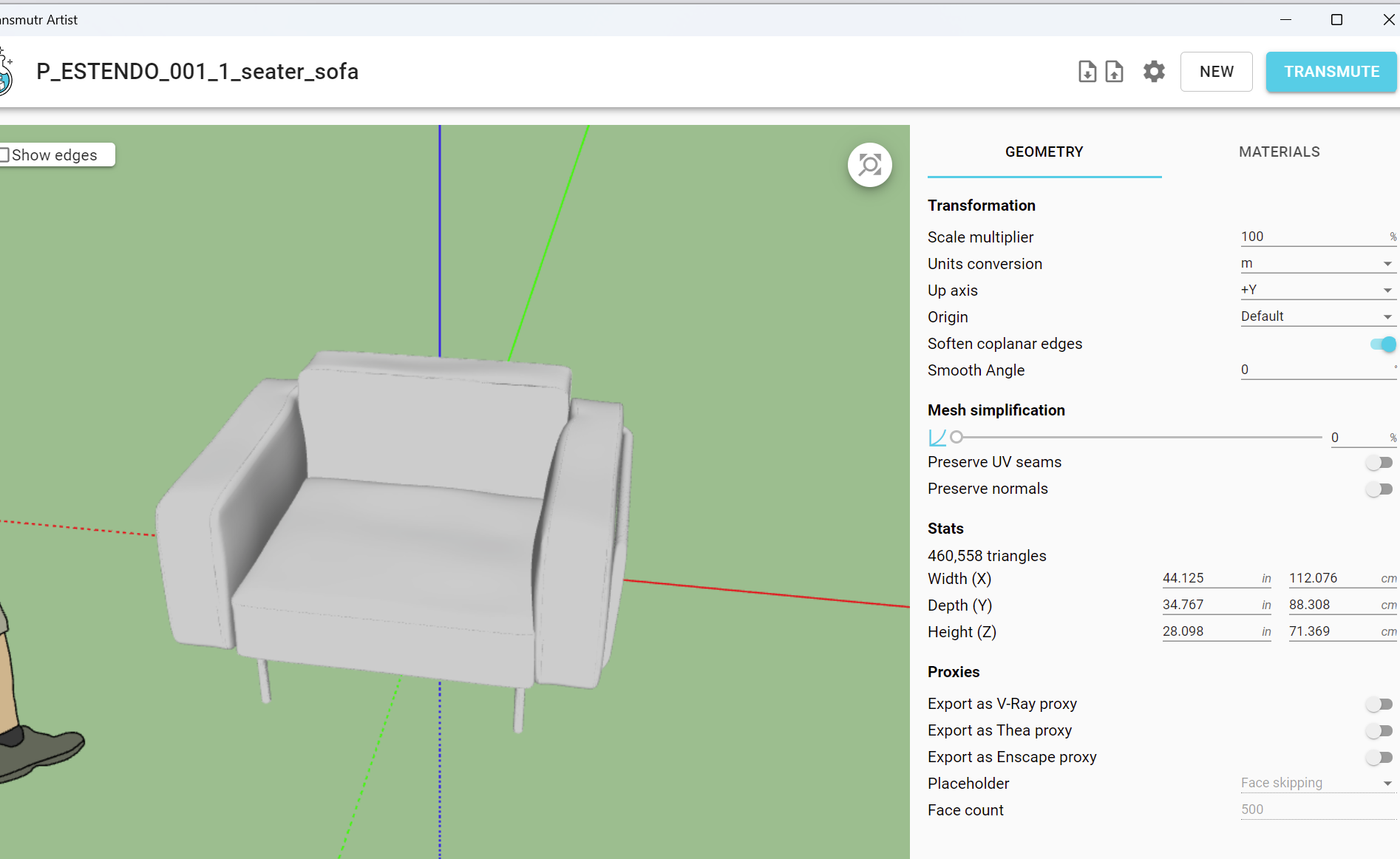
I have noticed differences when importing .3ds models between the Sketchup plugin and the standalone app. The .3ds files were all created with meters as the unit. When using the Plugin, I can simply set the Units Conversion to ‘m’ and leave the scale multiplier at 100%. The model is then perfectly scaled (112cm X axis).
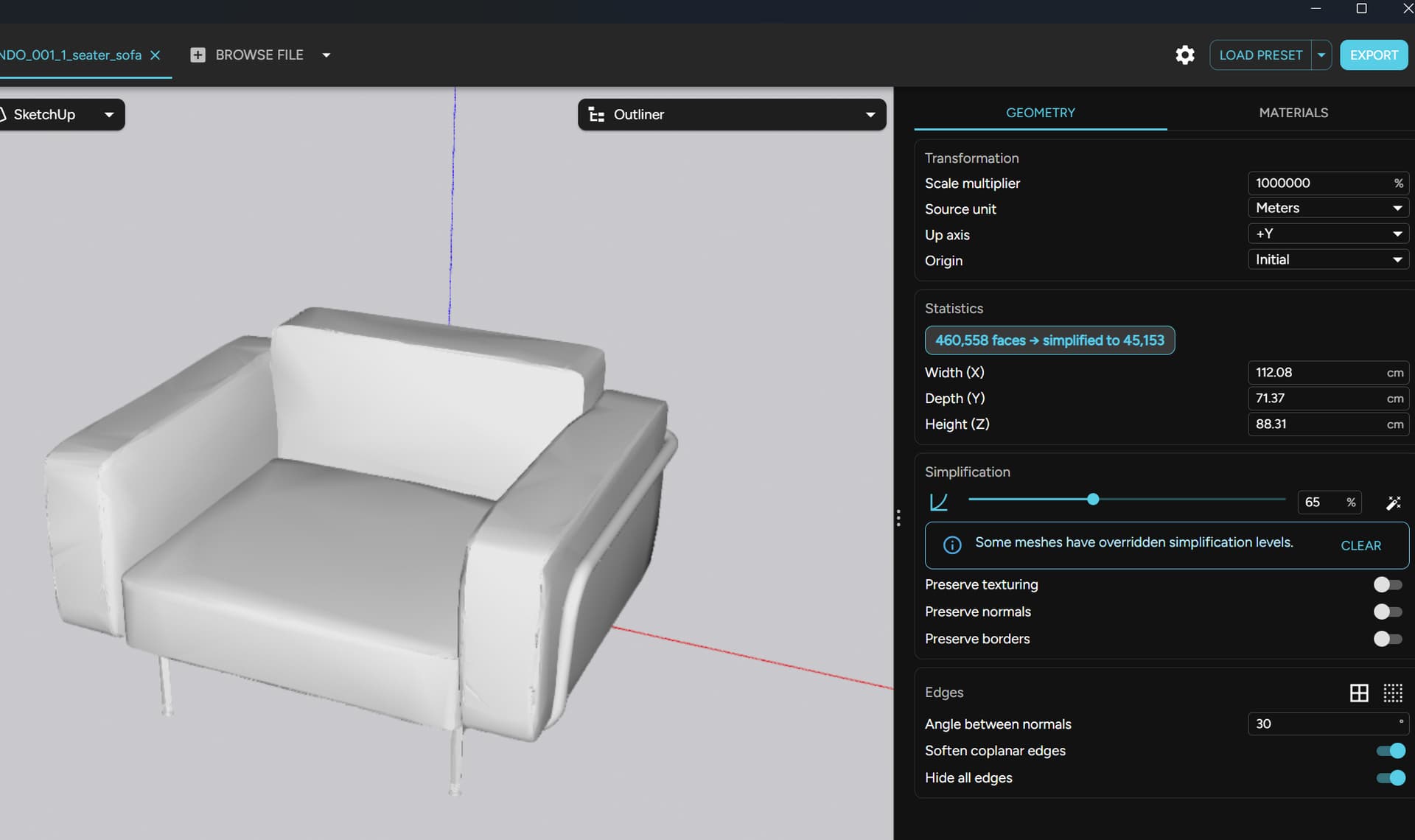
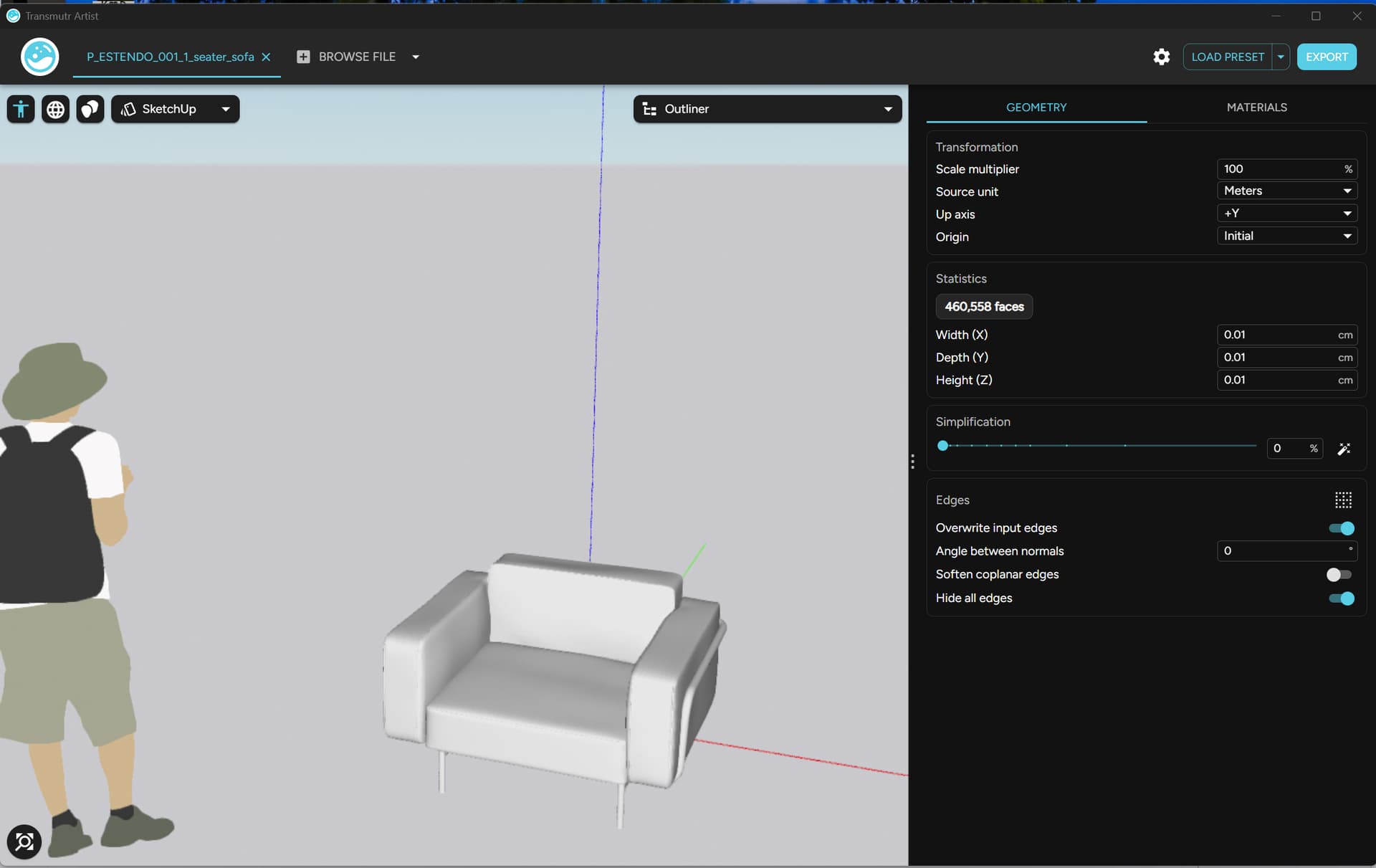
In the Transmutr standalone app, when I import the model and make the same settings for Units Conversion and Scale Multiplier, the resulting import is 0.01cm in X axis, a factor of 10,000 smaller than it should be. So I need to set the scale multiplier to 1000000%.
Is it possible for the app to work like the plugin?!
Hi Thomas - yes exactly. I have attached screenshots of first the Sketchup plugin Transmutr import and then the app. I will email the .3ds file now.
thanks
So I have managed to update the Sketchup extension manually. I just upgraded Transmutr to 2.02 but still the extension was stuck on v1. I copied the necessary transmutr.rb and folder manually to my plugins folder. Now the window launched from Sketchup looks the same as the standalone app, but there is still the scale issue. You can see that the imported model is showing as only 0.01cm in the X axis but the preview appears to show it at the correct size. So perhaps it is just the Statistics that is wrong?
There’s a bug in Transmutr 2.0.2: if Transmutr 1 is already installed then the plugin is sometimes not updated properly. We found the issue and we’ll release an update that fixes it very soon.